1 . Create a shortcode to compare the current time to a specific time range, and return true or false.
start and end time are set in shortcode parameters, making it re-usable.
add_shortcode('check_time_range', 'check_time_range_shortcode');
function check_time_range_shortcode($atts) {
    $atts = shortcode_atts([
        'start' => '',
        'end'   => '',
    ], $atts);

    // Set timezone to France
    $timezone = new DateTimeZone('Europe/Paris');

    if (empty($atts['start']) || empty($atts['end'])) {
        return 'false';
    }

    try {
        // Create DateTime objects in France timezone
        $start_dt = new DateTime($atts['start'], $timezone);
        $end_dt   = new DateTime($atts['end'], $timezone);
        $now_dt   = new DateTime('now', $timezone);

        // Convert to timestamps
        $start_ts = $start_dt->getTimestamp();
        $end_ts   = $end_dt->getTimestamp();
        $now_ts   = $now_dt->getTimestamp();
    } catch (Exception $e) {
        return 'false';
    }

    // Compare using timestamps
    return ($now_ts >= $start_ts && $now_ts <= $end_ts) ? 'true' : 'false';
}
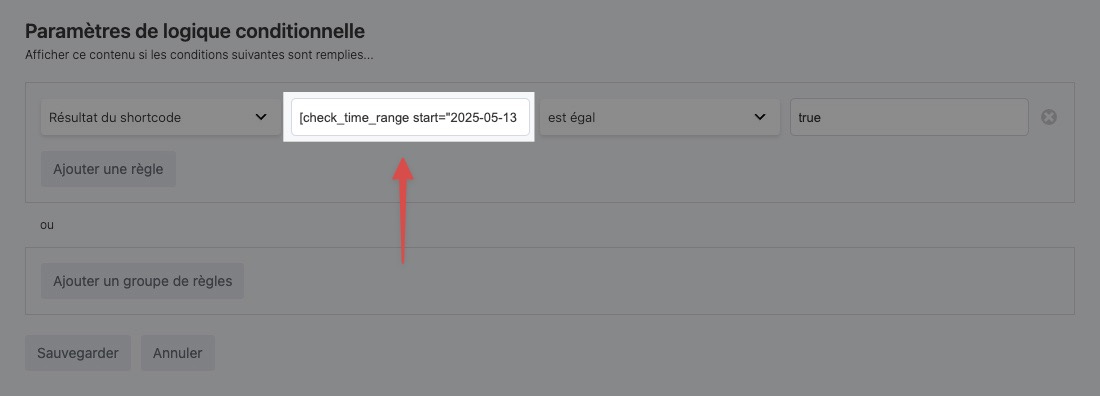
2 . Use shortcode in BT Conditional Logic
Example:
[check_time_range start="2025-05-13 08:00" end="2025-05-13 20:00"]
That’s it, the BB item the condition is set on should show up at the start time specified in the shortcode, and removed at the end time.